Email:

tianyinglyu@gmail.com

Email:

tianyinglyu@gmail.com

tianyinglyu@gmail.com

picoCTF 2022

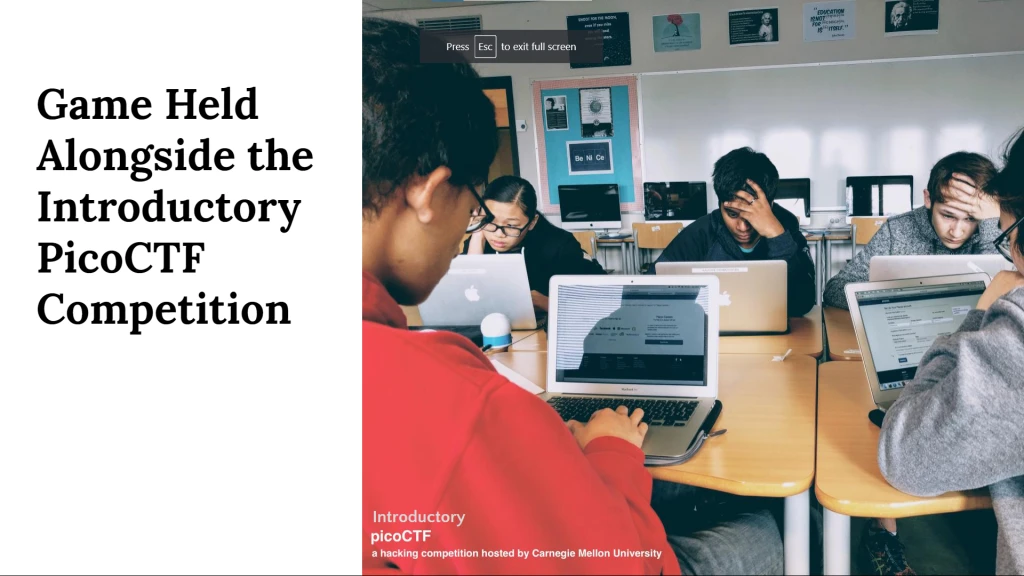
This client project was developed in collaboration with Carnegie Mellon University CyLab. As part of a five-person team, we designed and produced an introductory game for picoCTF 2022, a nationally recognized cybersecurity competition.

Responsibilities

As the sole UI/UX designer and visual artist on the team, I led the end-to-end user experience design and created all UI systems and visual assets that shaped the game world.

Client

Carnegie Mellon University Cylab

Timeframe

2021

Category

WebGL, game, learning experience

Goal

The goal was to design a web-based onboarding experience that prepared students for the picoCTF cybersecurity competition.

Integrated Ecosystem

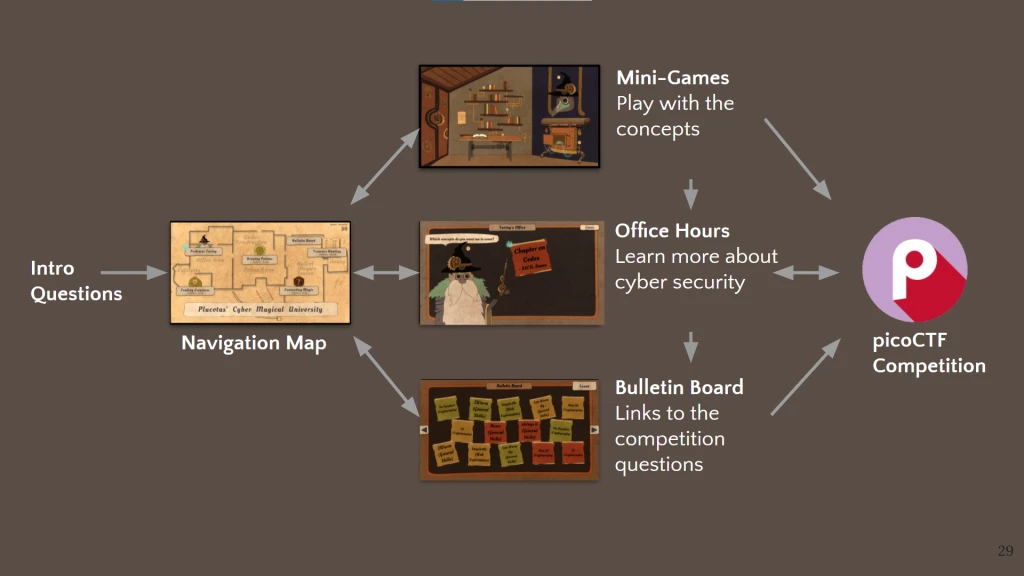
The game was structured as an integrated ecosystem, featuring a navigation map, four mini-games, an Office Hours hub, and a Bulletin Board. Together, these components guided exploration, introduced core cybersecurity concepts through interactive challenges, and connected gameplay directly to the picoCTF competition experience.

Introductory Scene

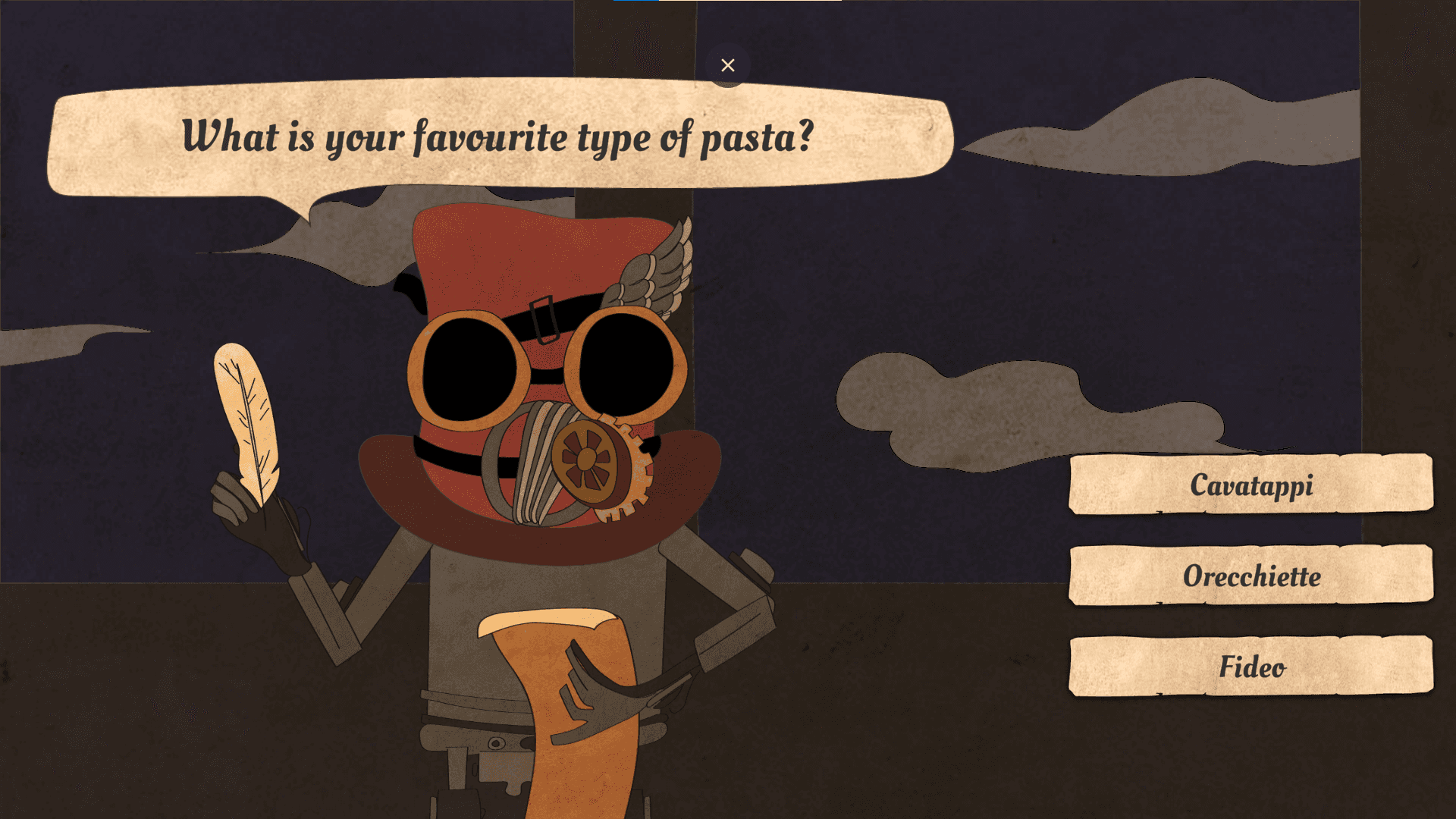
The experience began with an introductory scene that established the game’s atmosphere and immersed players in a world of cyber magic. Players assumed the role of new students at the picoCTF School, where they began learning the fundamentals of “casting magic” — a metaphor for coding and cybersecurity concepts.

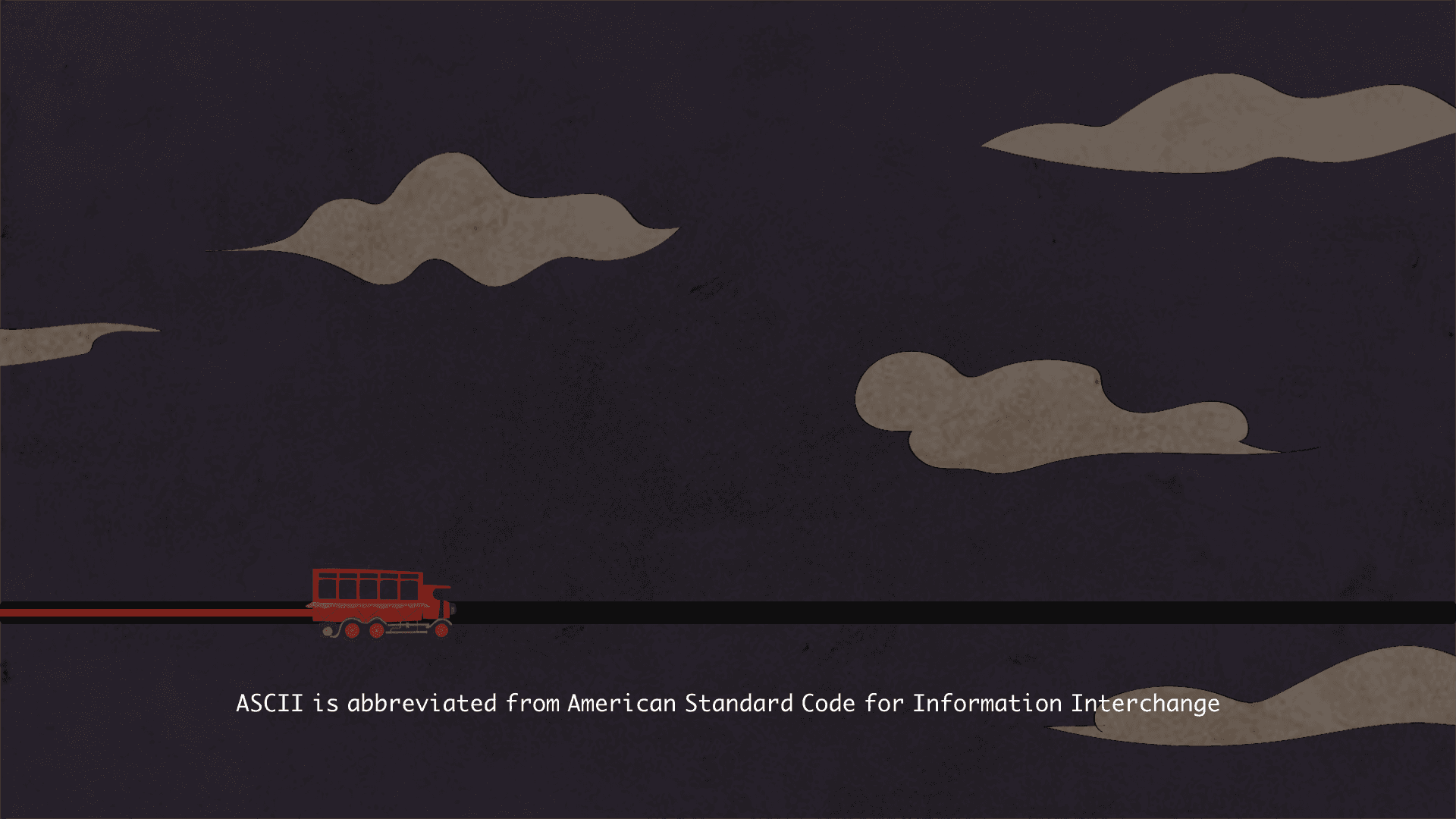
Click to get on the flying school bus

Answer 5 team-sorting questions

Loading Screen

I also leveraged the loading screens to reduce user anxiety and communicate helpful contextual information during transition moments.

Navigation Map

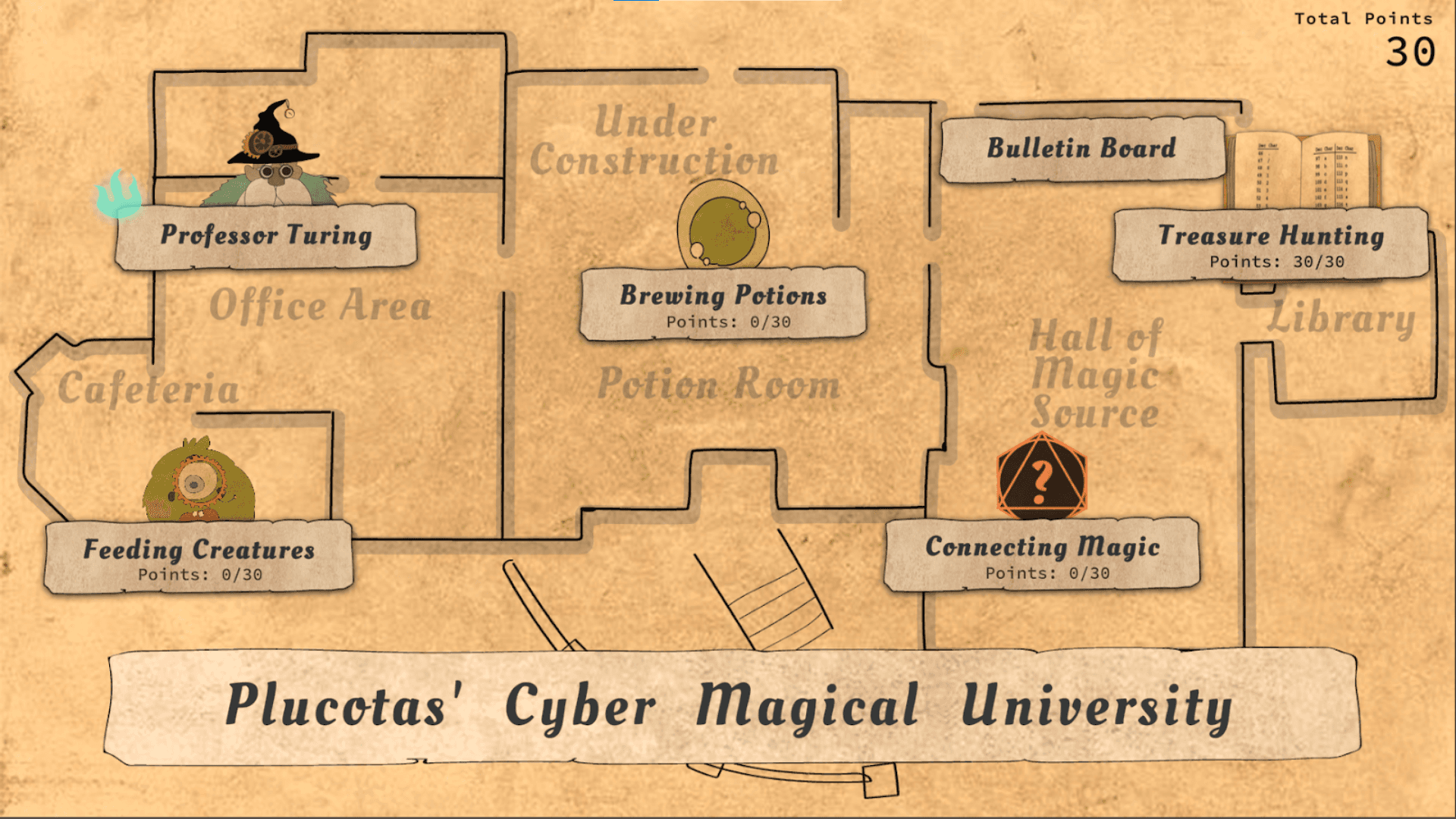
By interacting with the map, players could navigate to different areas of the school to access various mini-games and activities. The interface also displayed the player’s accumulated points in the upper-right corner, providing a clear sense of progression.

Under each mini-game title, players could view their current record. This system encouraged replayability by giving players a way to track and improve their performance, motivating them to revisit challenges and aim for higher scores.

Gamified Chapters, Facilitating Learning

I collaborated with the level designer to translate key cybersecurity concepts into a series of gamified chapters that supported progressive learning.

Chapter 1. Room Escape

Hover State with Affordance

To improve discoverability, interactive objects were highlighted in light colors against the dark background. Hover states provided clear affordances, signaling interactivity and reinforcing player confidence when engaging with the environment.

Accessible Reference to Reduce Friction

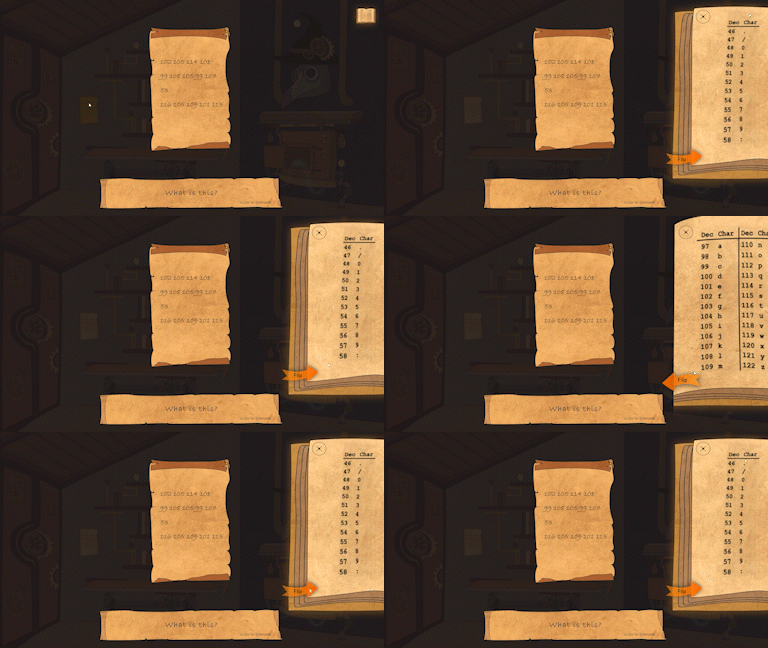
Decoding ASCII values can be challenging for beginners, so I streamlined the process to reduce friction.

Once players collected the ASCII table, it became accessible through a book icon in the upper-right corner of the interface. Selecting the icon pulled out the reference table from the side of the screen, allowing players to quickly consult it while decoding.

This design kept the reference easily available without interrupting gameplay, supporting smoother learning and problem solving.

Chapter 2. Cookie Machine

Command-line Metaphor

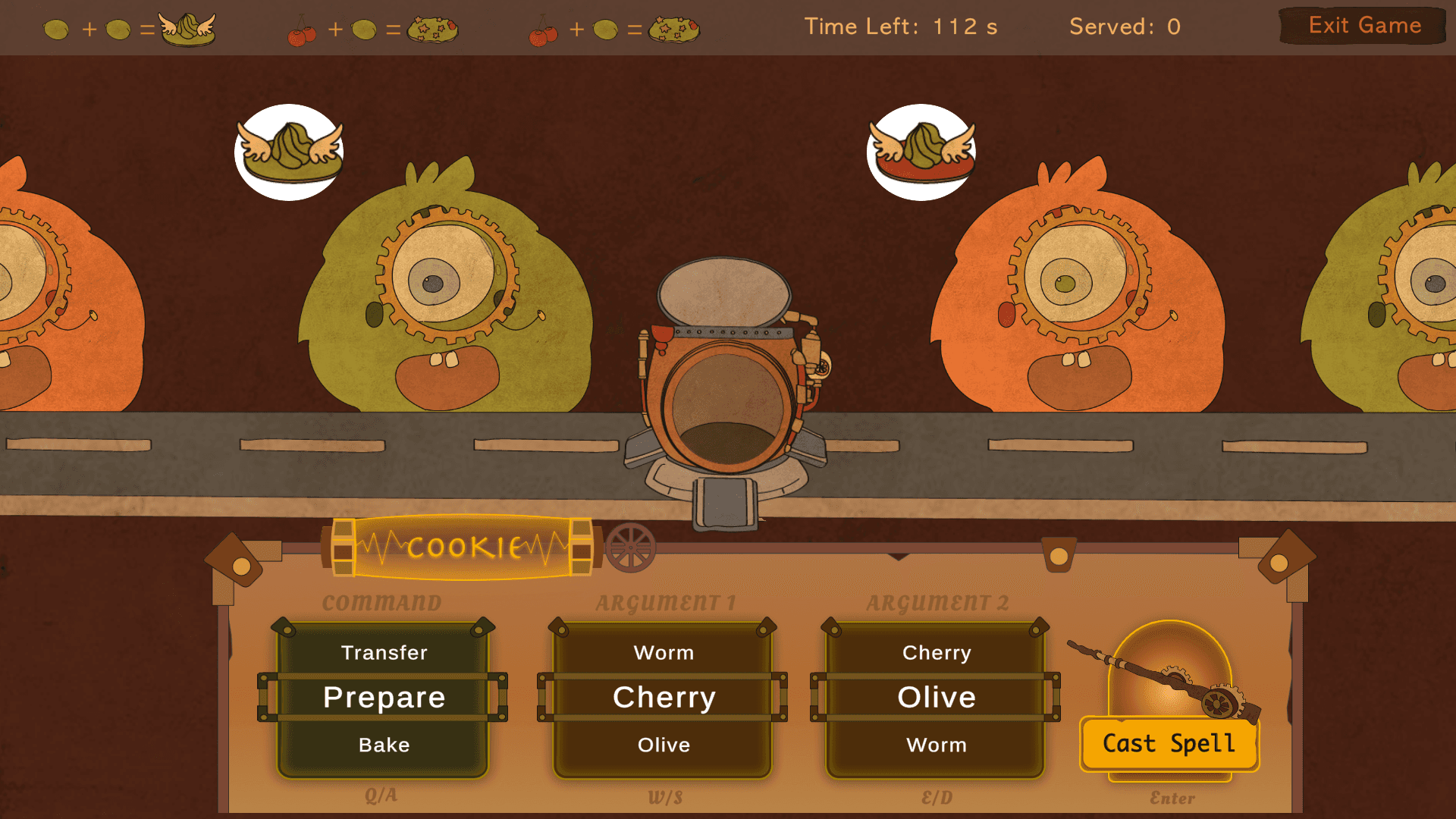
In this mini-game, players used a magical control panel at the bottom of the screen to create cookies and feed monsters with different appetites. Players needed to experiment with recipes to determine how the ingredients worked.

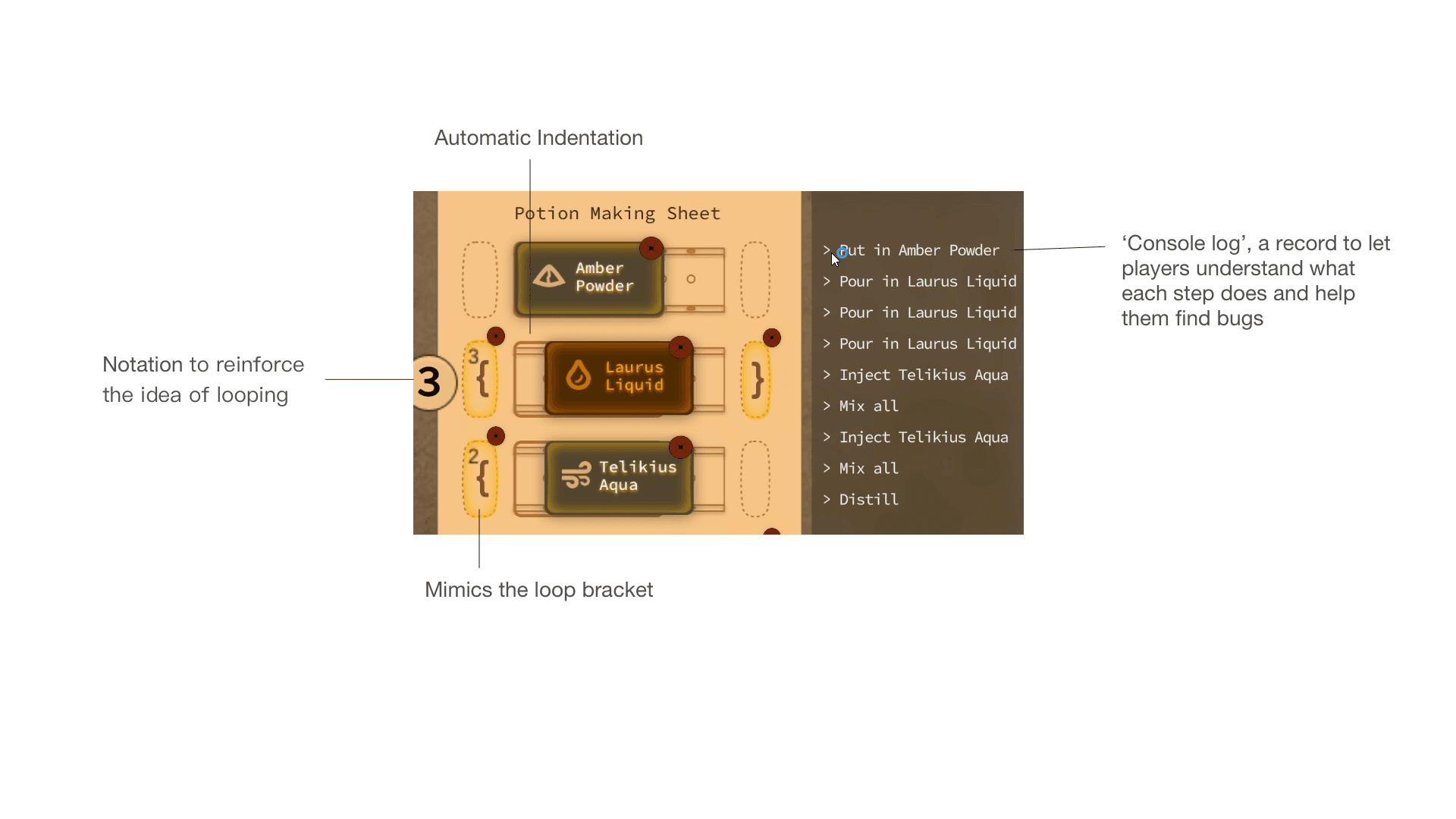
I designed the panel to mimic a real-world command-line tool, helping players gradually familiarize themselves with concepts they would later encounter in the picoCTF competition.

Differentiated Feedbacks

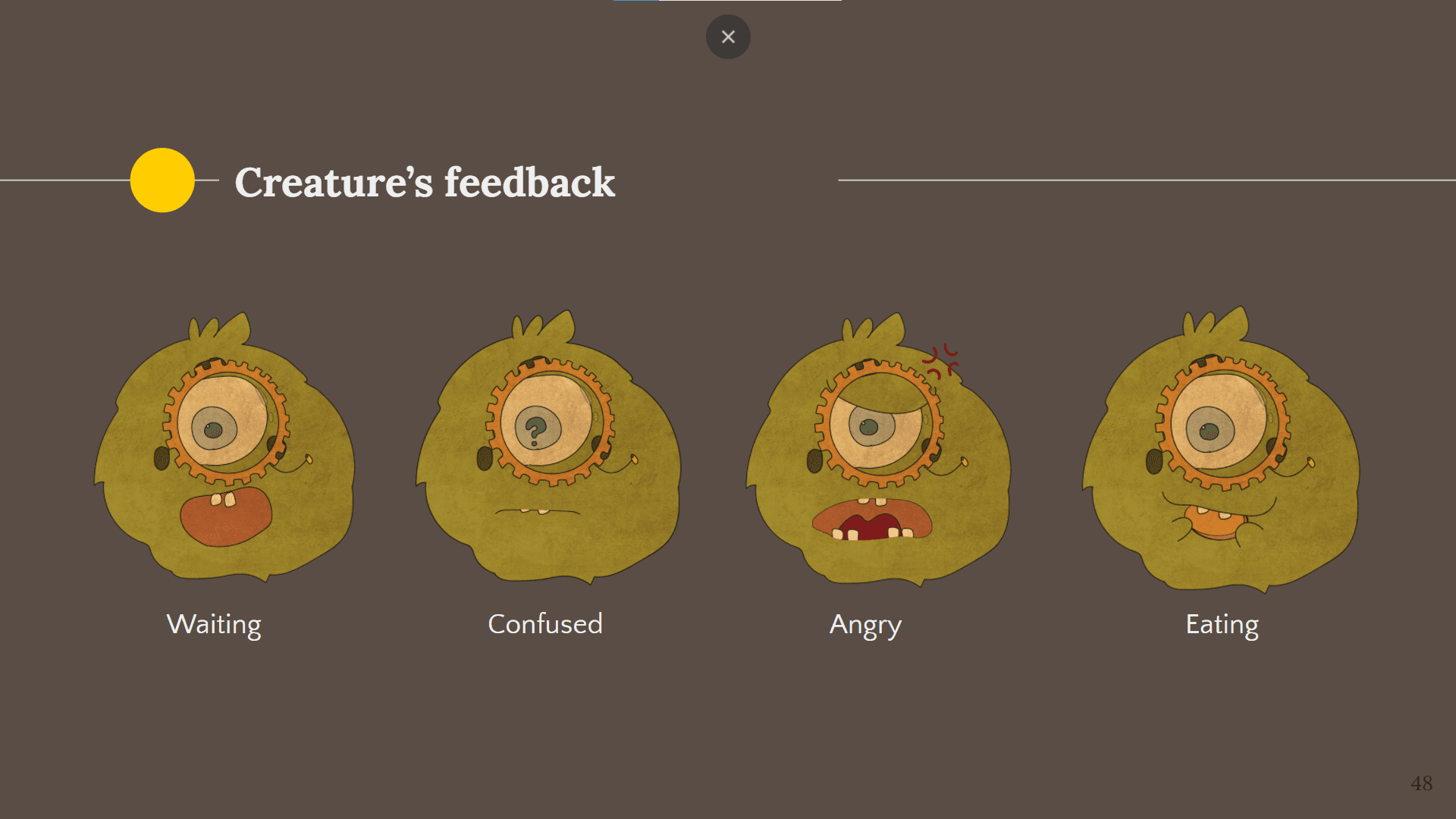
When the correct cookie was served, the monster ate happily. When the wrong cookie was delivered, the monster appeared confused. If the correct cookie was not served in time, the waiting monster became angry and left.

These differentiated feedback states allowed players to quickly understand the results of their actions and learn through experimentation.

Chapter 3. Connecting Magic Circuit

Learning Variables Through Puzzle Mechanics

In programming, variables act as placeholders that store values which can be modified and retrieved when needed. To explore this concept, players assign numbers to jigsaw-shaped placeholders and rearrange the pieces to guide the magic flow toward a designated endpoint, ensuring the final value matches the target.

Playtest Insight

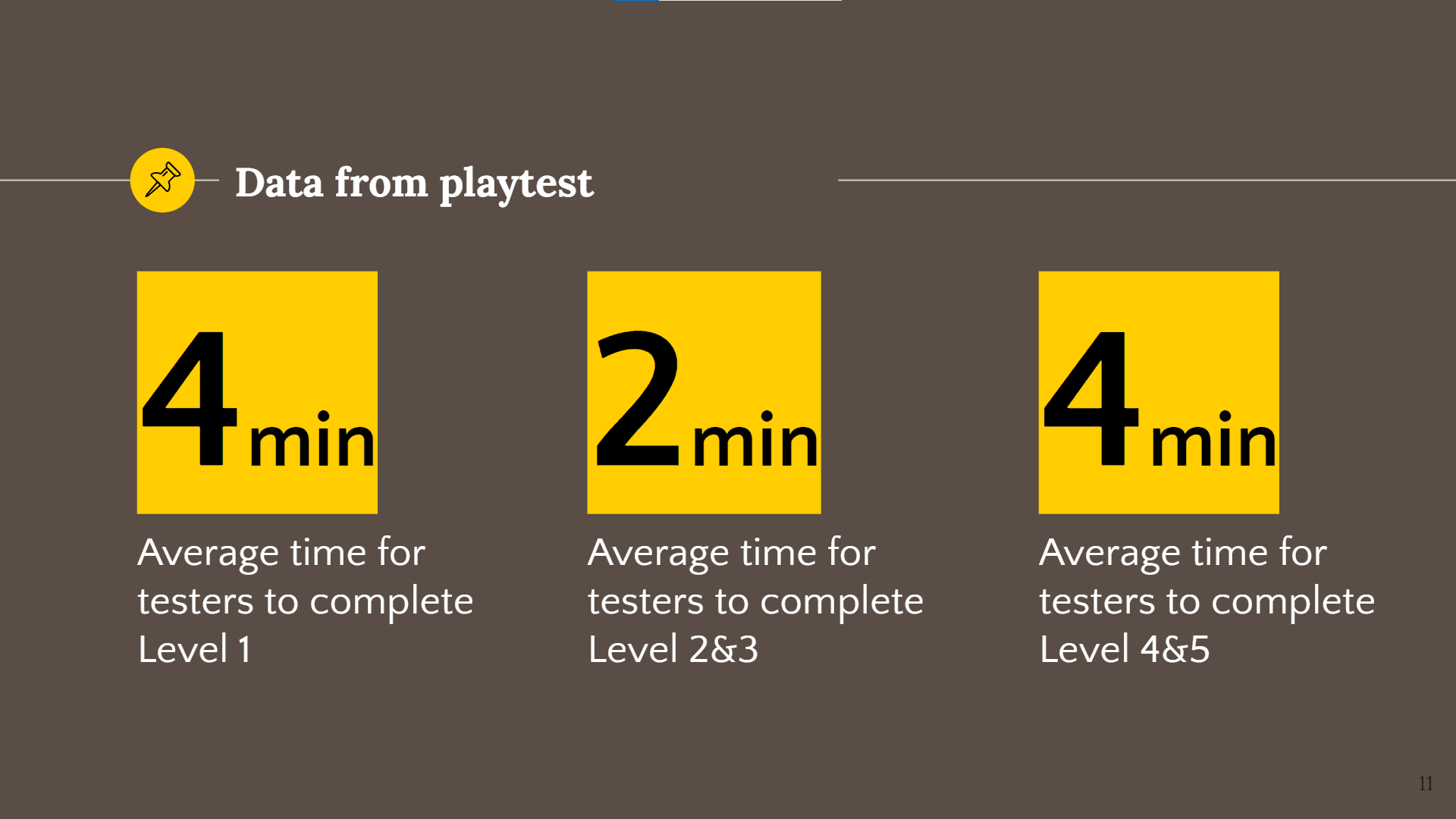
Connecting Circuit was reported as the most challenging mini-game during playtesting.

While players naturally spent more time on Levels 4 and 5 due to their higher difficulty, many playtesters also struggled in Level 1. Several participants showed frustration while trying to understand how the different components worked.

This observation revealed an important challenge…

How can UX/UI guide players to understand the mechanics?

Clear Interaction Steps

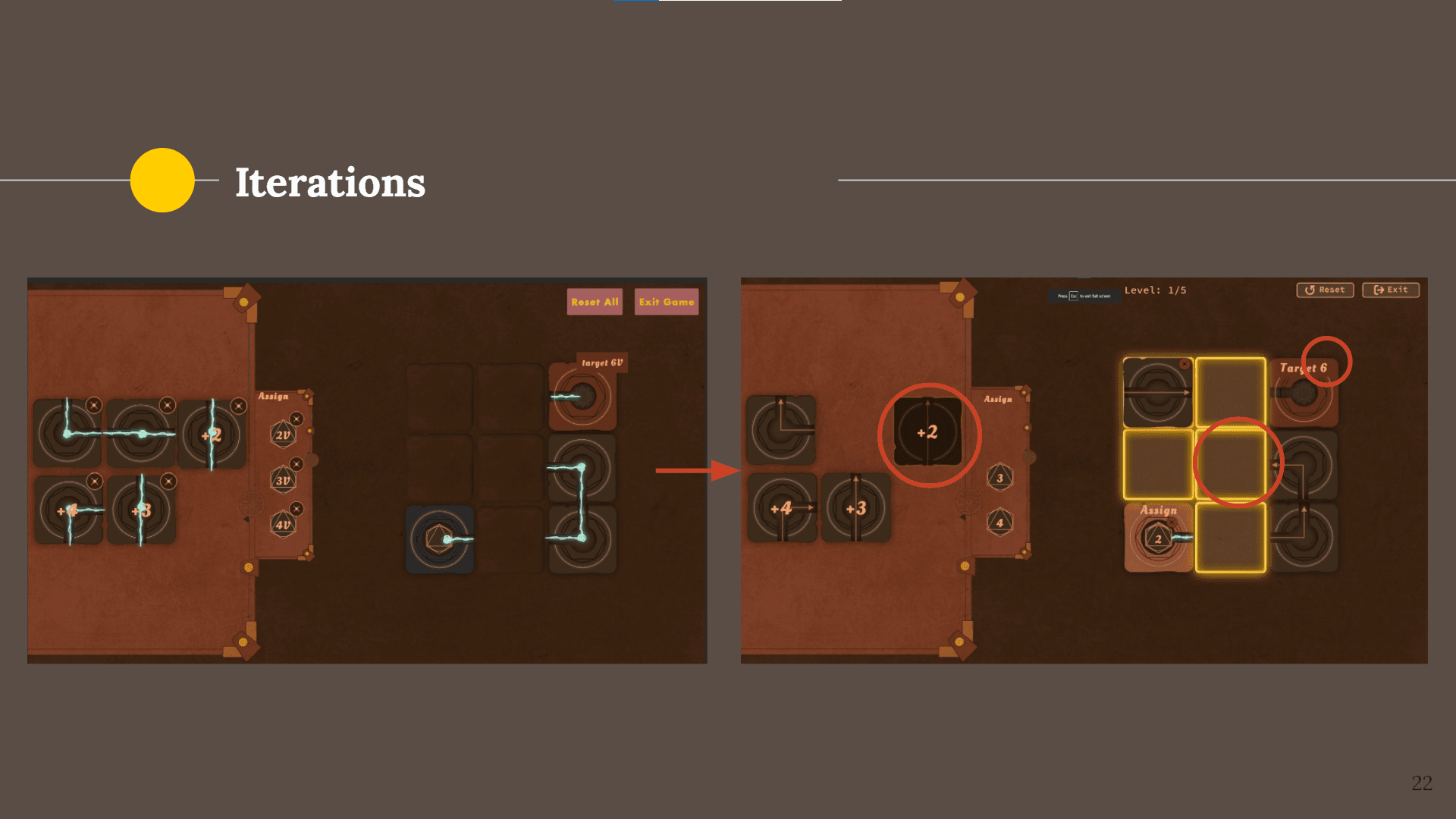
In earlier prototypes, I relied on shape cues to help players associate components and identify where they should be placed. However, playtesting showed that this alone was not sufficient.

Beyond refining the color matching, I improved interaction clarity by adding hover and pressed states to each jigsaw component. When a player selects a piece, the interface also highlights the valid placement locations.

This design breaks the guidance into clear interaction steps and reduces cognitive load by limiting the number of available options at each step, making the mechanics easier for players to understand.

Chapter 4. Brewing Potion

Design for Learn by Doing

The game was designed to be a learning experience. Balancing engagement with learning presented a unique challenge, so every UI and UX decision was carefully designed to reflect the underlying logic of cybersecurity and programming.

Around Game Experience

Progressive Learning Through Unlocks

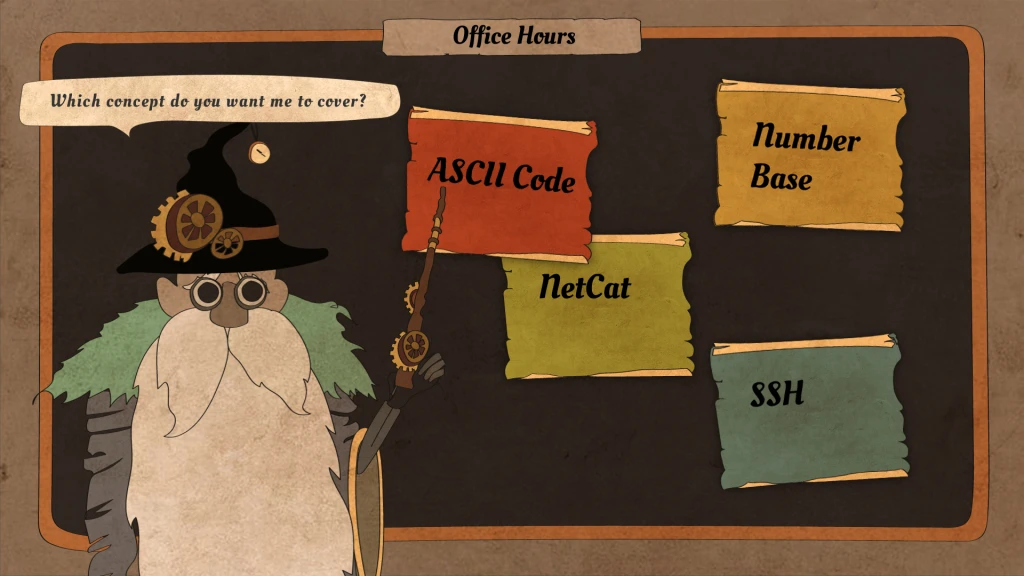
Each completed mini-game unlocked new content in the Office Hours section, where players could explore the cybersecurity concepts behind the challenge and deepen their understanding.

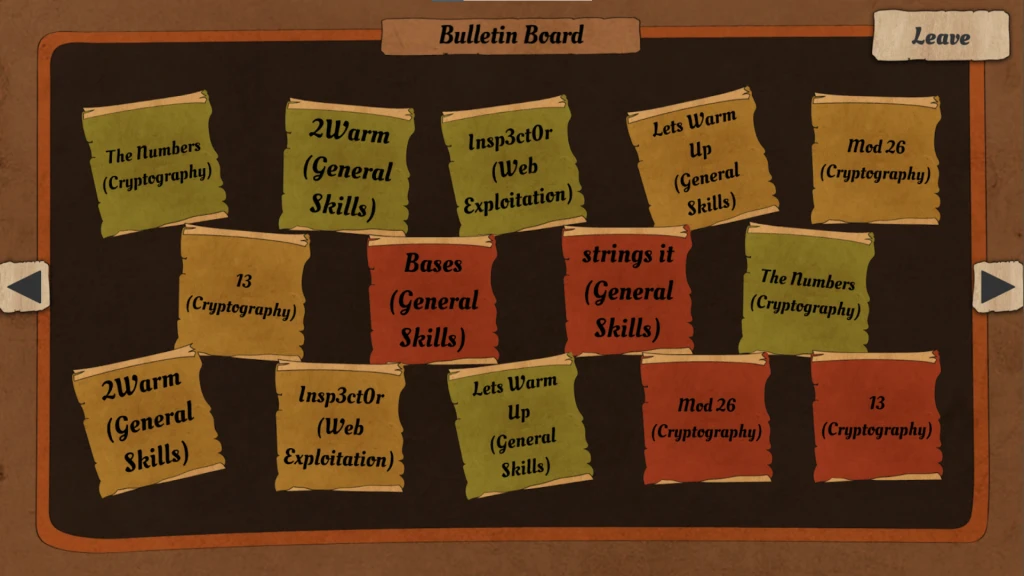
The Bulletin Board

After learning cybersecurity concepts through mini-games and Office Hours, players were directed to related questions on the picoCTF website, allowing them to apply their knowledge to real competition challenges.

Impact

The Team Planner Katalyst was launched alongside picoCTF 2022, a global cybersecurity competition with 7,700+ active participants solving challenges. The game served as an onboarding experience that introduced beginners to core cybersecurity concepts and attracted more participants for the competition.

We even received email inquiries requesting access to the game after the competition had concluded, indicating sustained interest beyond the event itself.

Some of my other work

Back to top

Back to top

Let's create
something
together.

Hit me up if you have a project in mind or would like to chat

Back to top

Back to top

Let's create
something
together.

Hit me up if you have a project in mind or would like to chat

Back to top

Back to top

Let's create
something
together.

Hit me up if you have a project in mind or would like to chat